 Padrail
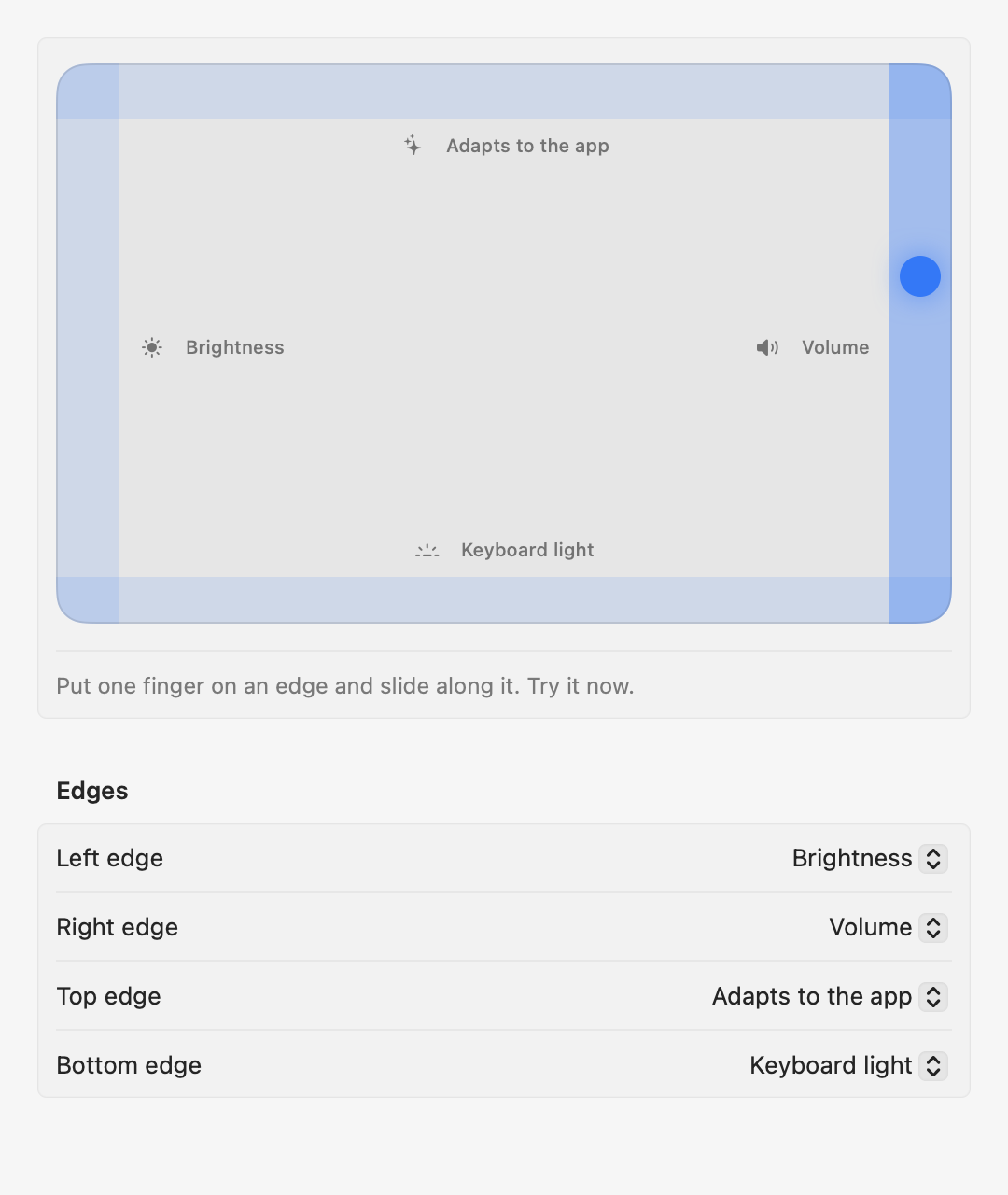
Right edge
Volume
Up and down, with a tick at every step and an on-screen level.
Padrail turns the edges of your MacBook trackpad into controls. Volume and brightness on the sides, keyboard light at the bottom, and a top edge that does what fits the app you're in.
How it works
Put one finger right on the edge and slide along it. Everything else on your trackpad works exactly as before.
Up and down, with a tick at every step and an on-screen level.
Fine control of the built-in display, without hunting for keys.
Tabs in the browser, zoom in design apps, tracks in your music app.
Slide left or right to dim or brighten the keyboard backlight.
The adaptive edge
Padrail looks at the app in front and gives the top edge the job that fits. Slide right to go forward, left to go back.
Change any of these, add your own apps, or give any edge a different job: undo and redo, tabs, zoom, tracks, volume, brightness or keyboard light.
Settings
The settings window shows your finger on the trackpad in real time, so you can see exactly where each edge begins.
A haptic tick at every step on Force Touch trackpads, like a real slider.
While you slide along an edge, the cursor doesn't drift across the screen.
Only one finger that lands on the edge and moves along it. Scrolling, clicks and gestures work as always.
No account and no analytics. Padrail never reads what you type, and only goes online to check for updates.
No Dock icon, under 1 MB, and no CPU while you're not touching an edge.
Volume, brightness, keyboard light, tabs, zoom, seek, tracks, undo, desktops, or off.
No license key, no subscription, no pro tier. Padrail is signed and notarized by Apple, opens like any other app and updates itself.
Download PadrailAny MacBook on macOS 13 Ventura or later, Apple Silicon or Intel. Haptic ticks need a Force Touch trackpad, which every MacBook has had since 2015. The Magic Trackpad works too, in beta.
Only for the actions that press keyboard shortcuts for you: tabs, zoom, tracks, seek, undo and desktops. Volume, brightness and keyboard light work with no permission at all.
A slide counts only when a single finger lands right on the edge and moves along it. Tap to click, scrolling, swipes and Notification Center keep working. You can make the edges narrower, or turn any of them off.
No. Padrail has no analytics and no account, and your settings stay on your Mac. The only connection it makes is a daily check for a new version.
Download the zip and open Padrail. It offers to move itself to Applications, then shows the settings window so you can try every edge right away.
Quit it from the menu bar icon, then drag Padrail from Applications to the Trash.